
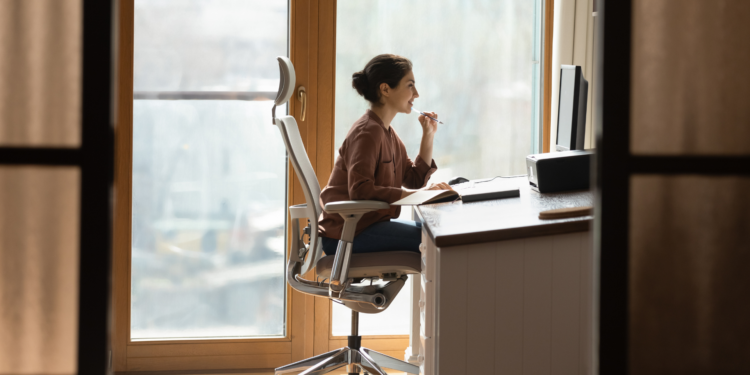
Even with return-to-office policy shifts, telecommuting is likely to stay. Recent data suggests that up to 30% of Americans work from home at least part of the time. That’s why it’s important to consider home office ergonomics to avoid repetitive stress injuries.
If you telecommute, consider how conducive your home workspace is to performing job tasks. Your workspace might include a desk, a chair, a computer, and a smartphone. Perhaps you have “satellite offices,” other places you work at home.
These satellite offices might involve:
- A dining room chair
- An armchair
- A kitchen table, coffee table, end table, or kitchen island
- Pillows and cushions
- Patio furniture
- Sofas
If that’s the case and you work this way too often or too long, you could damage your body to the point of permanent ergonomic-related postural deformities. Telecommuting continues to metaphorically reshape the world of work while it literally reshapes workers.
Who Is Responsible for Ergonomic Home Offices?
Whether companies must attend to staff’s home office ergonomic needs hinges on variables, including who chose the remote work arrangement in the first place.
The Occupational Safety and Health Administration (OSHA) has few, if any, regulations around this. Employers requiring, or simply encouraging, remote work should protect employee ergonomic health to the best of their abilities. Such support could include providing equipment, employee stipends, training, and other resources.
While OSHA requires that employers provide safe, healthy work settings, its enforcement reach is limited. Unless injuries spark investigations, employers are found liable, or workers’ compensation is involved, and responsibility for home office ergonomics is largely uncharted territory.
However, remote workers should remember that treating sofas like office chairs and kitchen tables like desks can cause microtrauma, repetitive strain/stress injuries, and more serious problems over time. Even with employer-provided, ergonomically-designed home offices at their disposal, much of remote worker’s health and safety is determined by employees.
What Doesn’t Work in Home Offices?
So, what’s wrong with using coffee tables as desks, couches as office chairs, and pillows as chair cushions?
Coffee and end tables are too low for office work. Using them as such can cause issues including poor posture, wrist injuries, lower back pain, and neck strain. Kitchen and dining room tables and kitchen islands are too tall to allow proper positioning of wrists, legs, and feet.
Though they may seem like a logical choice, kitchen islands should not double as standing desks. Kitchen and dining room chairs rarely offer lumbar support and can also cause injuries.
Sofas and armchairs often lure us into a false sense of security where we forget that our health is impacted. Issues related to sofas include inadequate spine support, neck and shoulder problems, and fatigue.
Surfaces not designed for office work are usually non-adjustable, making monitors too high or too low and keyboard positions sub-optimal. This can cause carpal tunnel syndrome and other musculoskeletal problems. Noticing we’re uncomfortable, we might boost ourselves with cushions or wedge a pillow behind our backs. Doing this is rarely a permanent fix and may contribute to deformities and chronic pain.
Among the best ways to prevent injuries associated with remote work is through regular breaks, stretches, and walking. Making movement and self-care part of your daily routine works wonders, as does the acronym STEAM: Stretch, Tea, Exercise, and Meditation.
Setting Up a Remote Workspace
Even furniture intended for office use doesn’t guarantee proper ergonomics. Not all desk chairs, for instance, are created equal. Look for features that meet your needs, such as adjustable armrests and customizable lumbar support. General guidelines include:
- Chairs adjusted so that elbows are at a 90-degree angle, forearms parallel with the floor, and hips level with or slightly lower than your knees
- Feet resting flat on the floor (use a footrest if needed)
- Monitors placed properly, the tops of their screens just below eye level
This article from the Mayo Clinic offers additional guidance and depicts an effective home workstation.
Wireless keyboards expand how we work from home, allowing us to switch rooms, work from a cafe or park, and exercise.
The following are ways we can prevent headaches while “looking out” for our eyes:
- Adjust the brightness on computer monitors
- Ensure adequate task lighting
- Maximize natural light and other ambient light sources
- Place workstations so that you’re not peering into outdoor glare
We can do a lot to help ourselves stay safe and well while telecommuting. Remote workers should do everything they can to maintain good health, and employers should support this wherever possible.